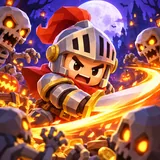
Help for survivors
Stuck, lost a run to a bug, or want in on the beta? Most answers are below. Everything else goes to one address.
Your progress
Where is my progress saved?
On your phone only. The game saves your gold, gems, heroes, skins, talents, quests and settings to a file inside the app's own storage. Nothing is uploaded, and there is no account or cloud save yet.
I reinstalled the game and my progress is gone. Can you restore it?
Unfortunately not. Deleting the app or clearing its data removes the save file, and because we never receive a copy, we cannot bring it back. Before you uninstall a test build, keep in mind that the progress will be lost.
Can I move my progress to a new phone?
Not in the test build. Moving progress between devices needs an online save, which we will only add together with an updated privacy policy.
Will my beta progress carry over to the release?
We try to keep saves compatible between test builds, but balance changes or a fresh start before launch are possible. We will say so in the release notes when a build resets progress.
Reporting a bug
Email [email protected] with:
- your phone model and its iOS or Android version;
- the world, hero and difficulty tier, and roughly when in the run it happened;
- what happened, and what you expected instead;
- a screenshot or a short screen recording if you can. They help more than anything.
The quickest way is in the game: open Settings, tap Send feedback, pick Bug, Idea, Balance or Other and write a few lines. The game adds its version and your phone model for you. Add your email address if you would like an answer. If you are offline, it is sent the next time you are connected. Crashes are reported automatically (you can turn that off in Settings); see the privacy policy for what they contain.
On iPhone you can also send feedback straight from TestFlight: take a screenshot while playing and tap Share Beta Feedback. On Android, use the feedback option on the game's Google Play testing page or simply email us.
Beta testing
How do I join the beta?
Use the beta signup form: enter the email of the Apple ID (iPhone) or Google account (Android) you use on your phone, pick your platform and, if you like, your phone model. You get a confirmation email right away. iPhone testers then get a TestFlight invite; Android testers get a link to the Google Play testing track.
Prefer email? Write to [email protected].
Are purchases in the beta real?
No. The store in the test build is a stand-in: no payment is taken and no real money can be spent. Prices you see are placeholders.
Are there ads?
No ads are shown in the test build and no advertising SDK is included. Buttons that mention an ad are placeholders for testing the flow.
What should I pay attention to while testing?
Anything that feels unfair, confusing or slow: runs that end without you understanding why, upgrades that seem useless, stutters when the screen gets crowded, text that is hard to read. Honest "I got bored at minute four" feedback is just as useful as crash reports.
The game
Do I need an internet connection?
No. Bonestorm Survivors plays fully offline.
How do the controls work?
Drag with one thumb to move. Your hero attacks on their own. When you level up, tap one of the upgrade cards.
How do I unlock Hard and Nightmare?
Win a world on Normal to unlock its Hard tier, and win Hard to unlock Nightmare. Each world keeps its own tiers.
The game runs hot or slow on my phone.
The game picks a graphics quality level from your phone's hardware when it starts. If it still struggles, please tell us your phone model so we can tune that level for it.
Contact
We are a small studio and read every message. Expect an answer within a few working days. Read how we handle your email in the privacy policy.
The artists, musicians and font authors whose work is in the game are listed on the credits page (also in the game under Settings).