
Making 320 skeletons run on a budget phone
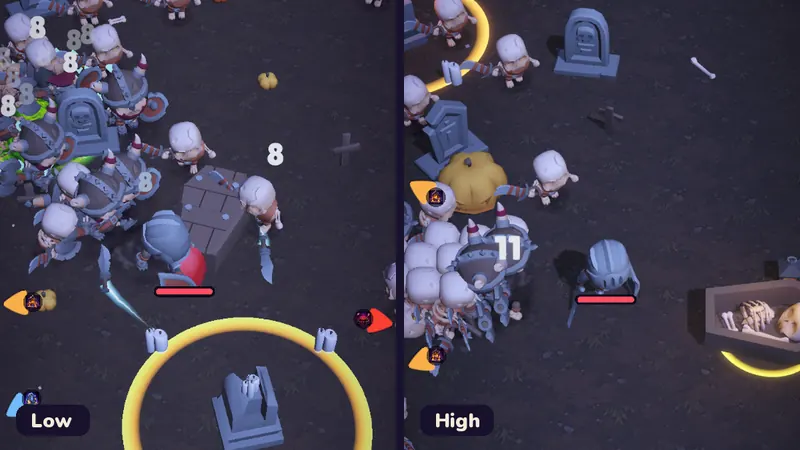
A survivors-like lives or dies by the size of its horde. Bonestorm Survivors wants a screen full of skeletons, and it wants that on the kind of phone people actually own, not just on this year's flagship. This is the story of the first time we measured that honestly.
Emulators can't tell you this
An Android emulator runs on the computer's processor and graphics card, so its frame rate says nothing about a three-year-old budget phone. The only numbers that count come from physical devices. We rent those through Firebase Test Lab, which installs the game on real phones in a data centre and runs it for us.
To make the runs comparable, the game has a built-in benchmark. When Test Lab starts it, the game skips the menus, loads the graveyard, makes a bot hero invulnerable and plays a fixed script of about 105 seconds: warm-up, four evolved weapons firing, a peak horde phase, the full royal-chest animation, and finally the boss with every map hazard triggered. The worst-case crowd target is 320 skeletons on High-tier phones. Along the way the game records every frame time, CPU and GPU time where the phone reports it, memory and temperature, and writes it all to a JSON file.
The first result: 18.5 fps
The first build we sent, on 19 October 2026, failed badly. A Galaxy A14 5G averaged 18.5 fps, 75 % of its frames took longer than 33 ms, and the GPU needed about 52 ms per frame. A Pixel 5 managed 31 fps. Both were also sorted into the wrong quality tier: the A14 got Mid and the Pixel 5 got High, because the old detection looked mostly at memory and processor cores.
Where the GPU time went
We rebuilt the phone's frame in the editor and listed every rendering pass. Three things stood out:
- Bloom was never off. The code that turned bloom down on cheaper tiers edited whichever of two global effect volumes it happened to find first, and the other one, with full bloom, usually won. Worse, "bloom off" on Low simply let the engine's default bloom through. The fix applies tier settings to every global volume and forces bloom intensity to zero on Low.
- Too many lights. The graveyard had 14 point lights, each lighting up to four objects per pixel, on top of a shadow map.
- A full-resolution anti-aliasing pass. Because the game renders below native resolution, its anti-aliasing ran in a separate pass at the full 1080 × 2400, every frame.
Three tiers, picked by the GPU
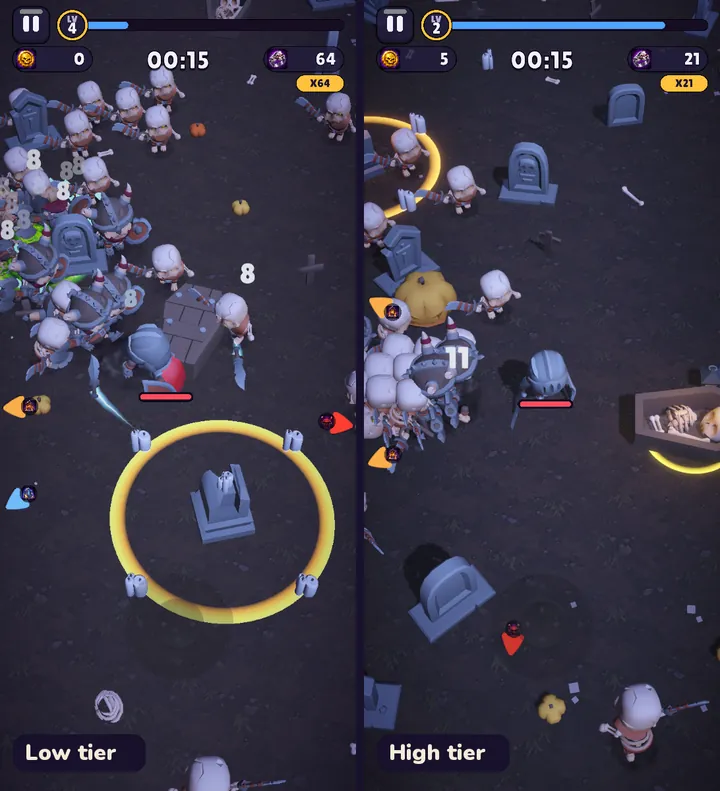
The game now picks a tier once at start-up, and the graphics chip decides first. Older and smaller Mali, Adreno and PowerVR chips go to Low, mid-range ones to Mid, and current flagship chips to High. Then caps apply: under 3.5 GB of RAM means Low, under 5.5 GB means at most Mid, and a phone without Vulkan is at most Mid. The A14's Mali-G57 MC2 with 3.6 GB now lands on Low, as it should.
| Setting | Low | Mid | High |
|---|---|---|---|
| Target frame rate | 30 fps | 60 fps | 60 fps |
| Render scale (start) | 0.65 | 0.75 | 0.85 |
| Shadows | off (blob shadow) | on | on |
| Bloom | off | quarter resolution | half resolution |
| Enemy cap | 160 | 240 | 400 |
On top of that, an adaptive governor watches frame times while you play. Two slow seconds in a row lower the render scale a little; eight fast ones raise it again. If a Mid or High phone gets very hot or stays slow at its lowest scale, the game drops to 30 fps for the rest of the session, and a phone that struggles for a long time starts one tier lower next launch.
The result: 44 fps
The next build ran the same benchmark on the same Galaxy A14: 44.1 fps average, 95th-percentile frame time 33 ms, 2.0 % of frames over 33 ms, GPU time down from about 52 ms to about 20 ms per frame, and memory down from 616 MB to 545 MB. The phone never reported any thermal throttling. The Low tier caps the game at 30 fps, so that is roughly 30 % headroom in the worst moment of a run. The benchmark measures uncapped on purpose so we can see that margin.
A second scripted scenario switches one thing off at a time to see what each costs. On the A14 the clear winner is the horde itself: hiding the enemies saves 7 to 10 ms of GPU time, particles and effects 4 to 7 ms, and almost everything else is now nearly free. So the next work goes into cheaper skeletons, not more settings.
What is still open
- The Pixel 5 (now Mid) and a Moto G54 have not been re-run yet; the free Test Lab quota ran out for the day.
- The Moto G54's first run came back empty. That was not a crash: the test harness shut the game down before it could write its result. The benchmark now saves partial results after every phase.
- 32-bit-only phones are not supported for now. They are entry-level devices with about half the A14's graphics power and would need an even lower tier.
If you have an older Android phone and want to help us find the next bottleneck, join the beta. The test build sends a short anonymous performance summary after longer runs; only slow runs reach our inbox, and the crash-reports switch in its settings turns it off.